
Note
Go to the end to download the full example code.
Import Regions of Interest (RoIs)#
Example showing how to import RoIs from other programs with
import_roi.
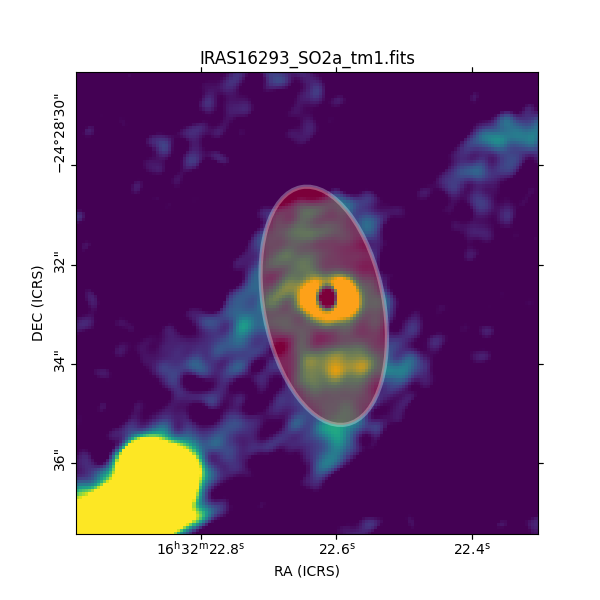
from madcubapy.io import MadcubaMap
from madcubapy.regions import import_roi
from madcubapy.visualization import add_wcs_axes
import matplotlib.pyplot as plt

# Read fits file
madcuba_map = MadcubaMap.read("../data/IRAS16293_SO2a_tm1.fits")

# Create empty figure
fig = plt.figure(figsize=(6,6))
# Plot the map
ax, img = add_wcs_axes(fig, fitsmap=madcuba_map, vmin=0, vmax=200)
ax.set_xlim(200, 350)
ax.set_ylim(200, 350)

# Import roi
carta_rotated_rectangle = import_roi(input_file="../data/ellipse.mcroi",
                                     fitsmap=madcuba_map,
                                     fc="red", ec="white", lw=3, alpha=0.3)

# Add roi to plot
ax.add_patch(carta_rotated_rectangle)

plt.show()
Total running time of the script: (0 minutes 0.100 seconds)